Frequently Asked Questions
Find answers to common questions about IPROG RentGo
General Questions
What is IPROG RentGo?
IPROG RentGo is a Smart Rental Connections platform that connects vehicle owners with customers looking to rent vehicles in Palawan. We facilitate bookings through our platform, but all rental arrangements are direct between the owner and customer.
How does IPROG RentGo work?
The process is simple: Customers browse available vehicles, add their trip and contact details, and create a booking request. Vehicle owners receive notifications and can confirm or decline the booking. Once confirmed, customers can view the booking voucher with vehicle details. Payment is handled directly between the owner and customer.
Is IPROG RentGo responsible for rental disputes?
No. IPROG RentGo is a booking facilitation platform only. We are not liable for any disputes, issues, or problems between vehicle owners and customers. All rental matters (payment, vehicle condition, damages, etc.) are the responsibility of the owner and customer to resolve directly.
How do I contact customer support?
You can reach our support team at iprog.tech+rentgopalawan@gmail.com for any questions or issues with the platform.
Booking Process
How do I make a booking?
Follow these steps:
- Browse available vehicles on our platform
- Open the booking form for the vehicle you want
- Enter your name, email, and a reachable contact number
- Click on a vehicle and select your pickup and dropoff dates
- Review the booking summary and terms, then submit your booking request
Step-by-Step Booking Guide (With Screenshots)
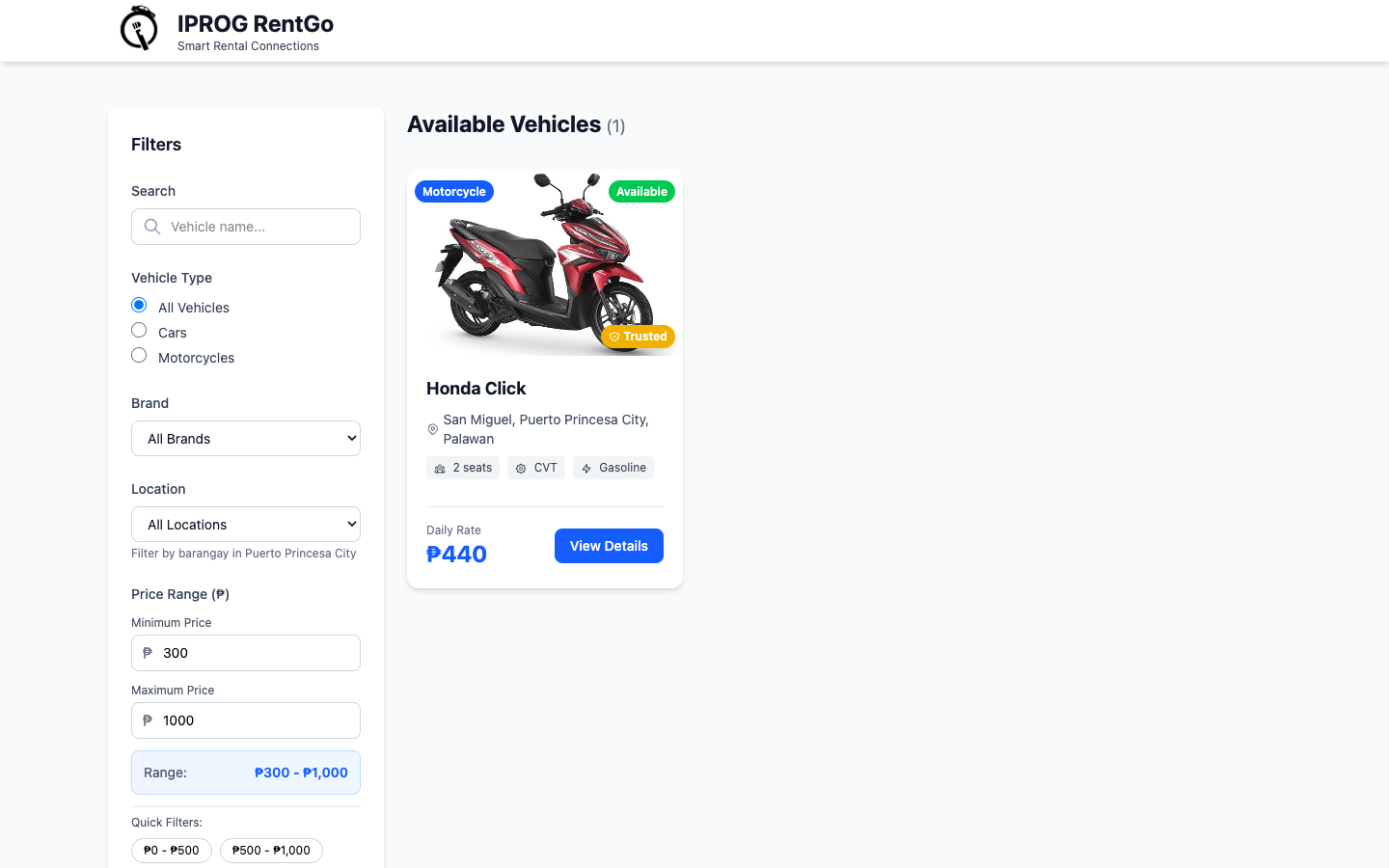
Step 1: Open the Vehicles page
Go to the homepage and click Browse Vehicles.
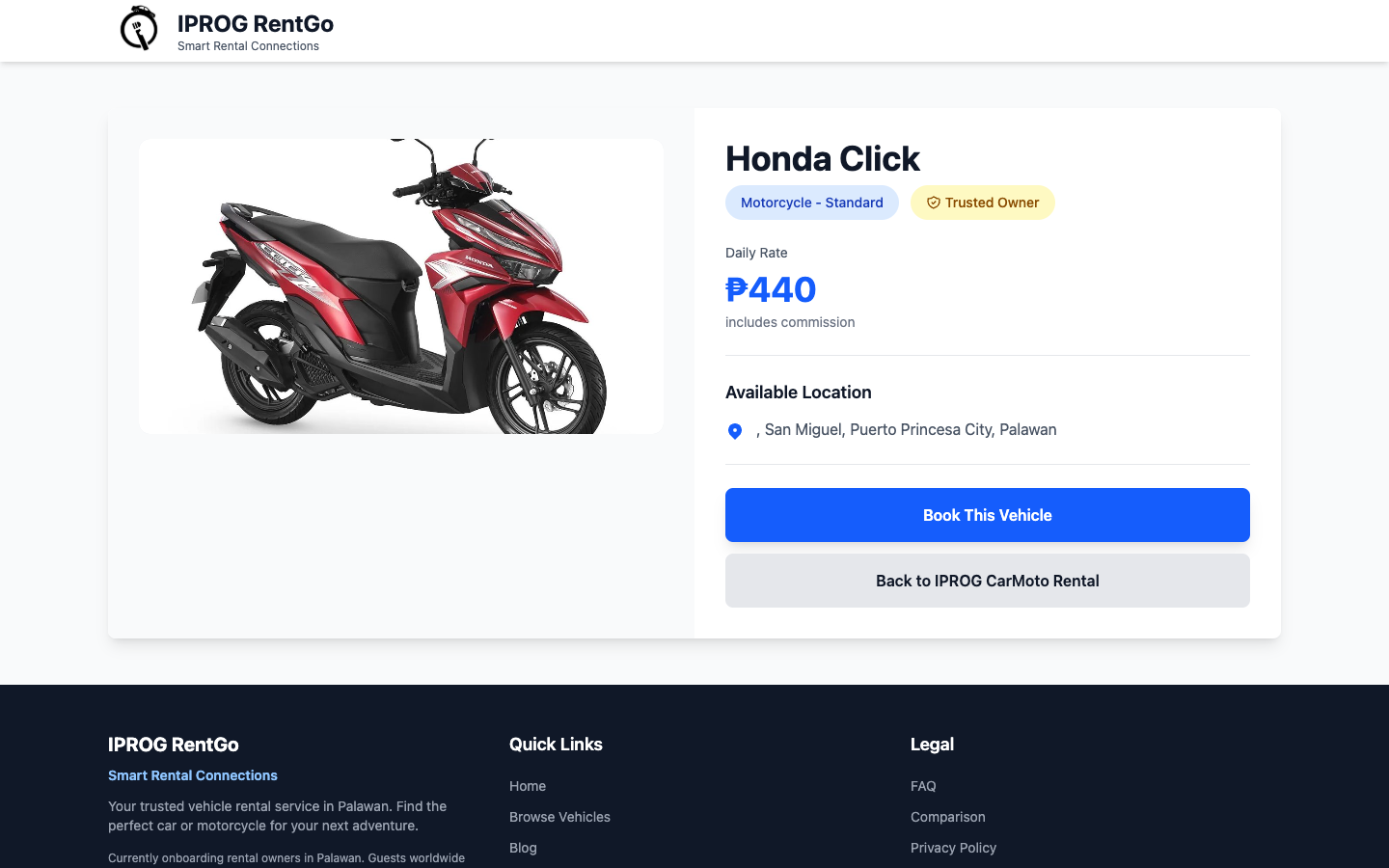
Step 2: Choose your vehicle
Select the car or motorcycle you want, then click View Details or Book Now.
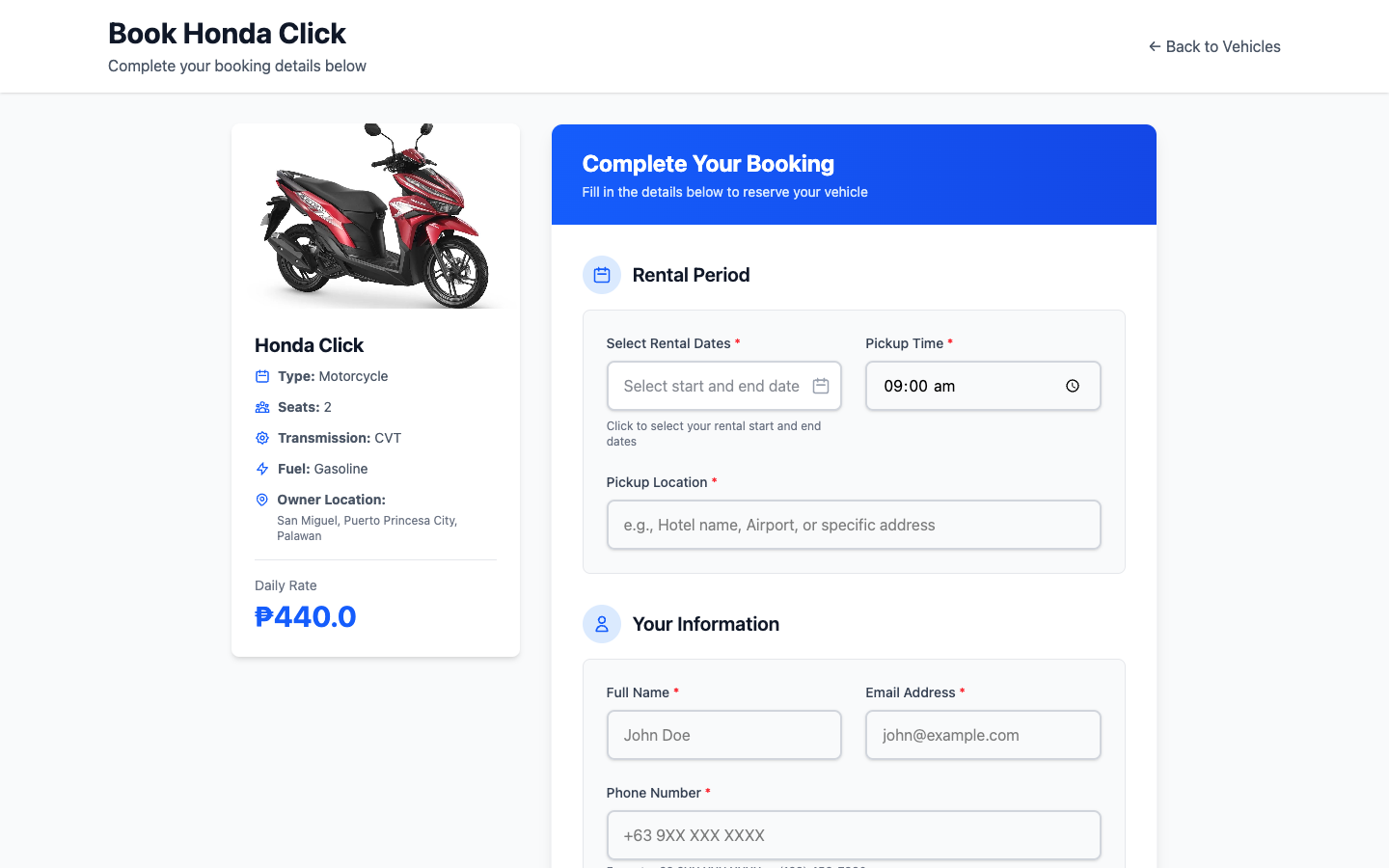
Step 3: Fill in booking details
Enter pickup/dropoff date, time, location, and your contact information.
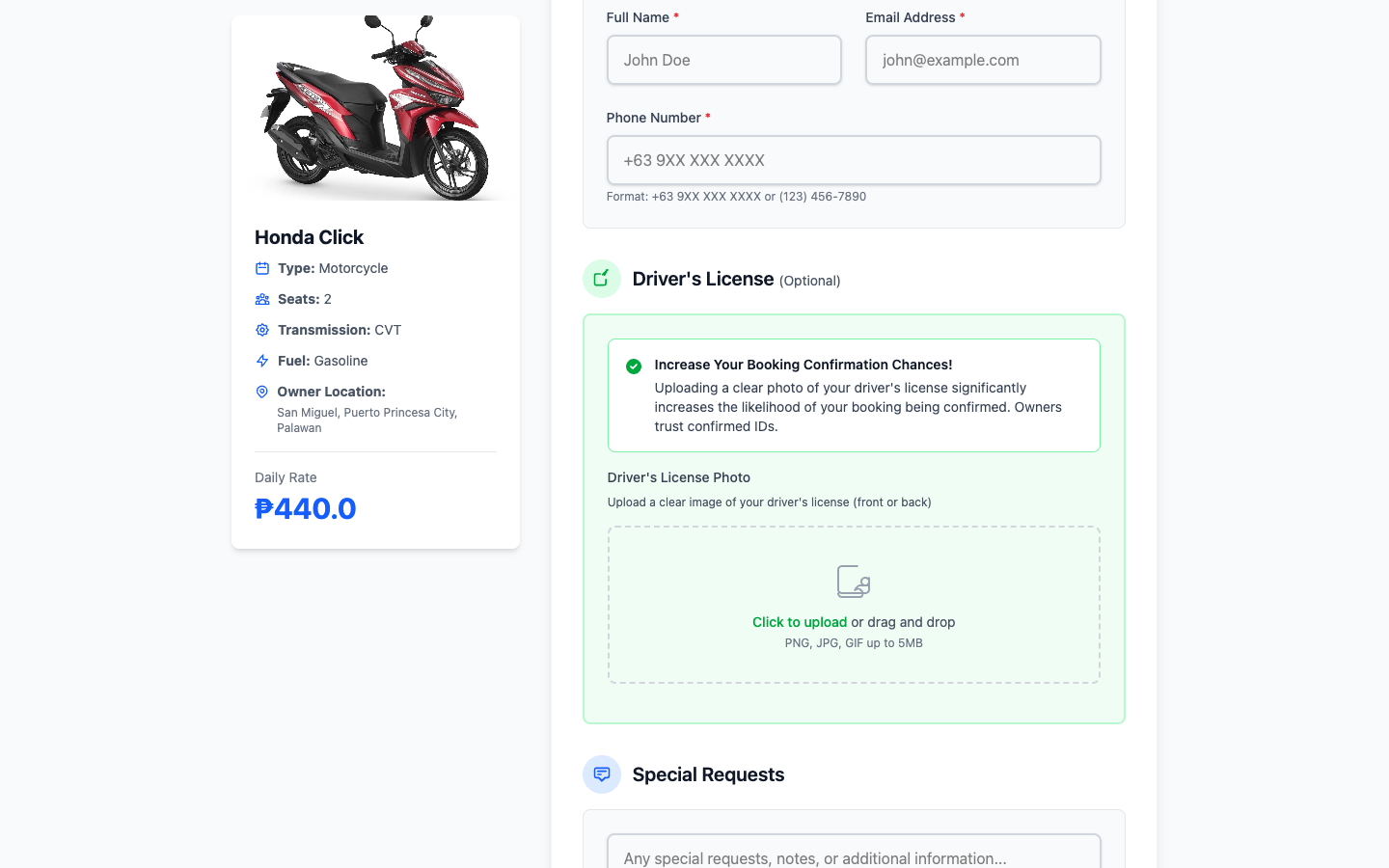
Step 4: Review and submit
Check your booking summary and click Submit Booking Request.
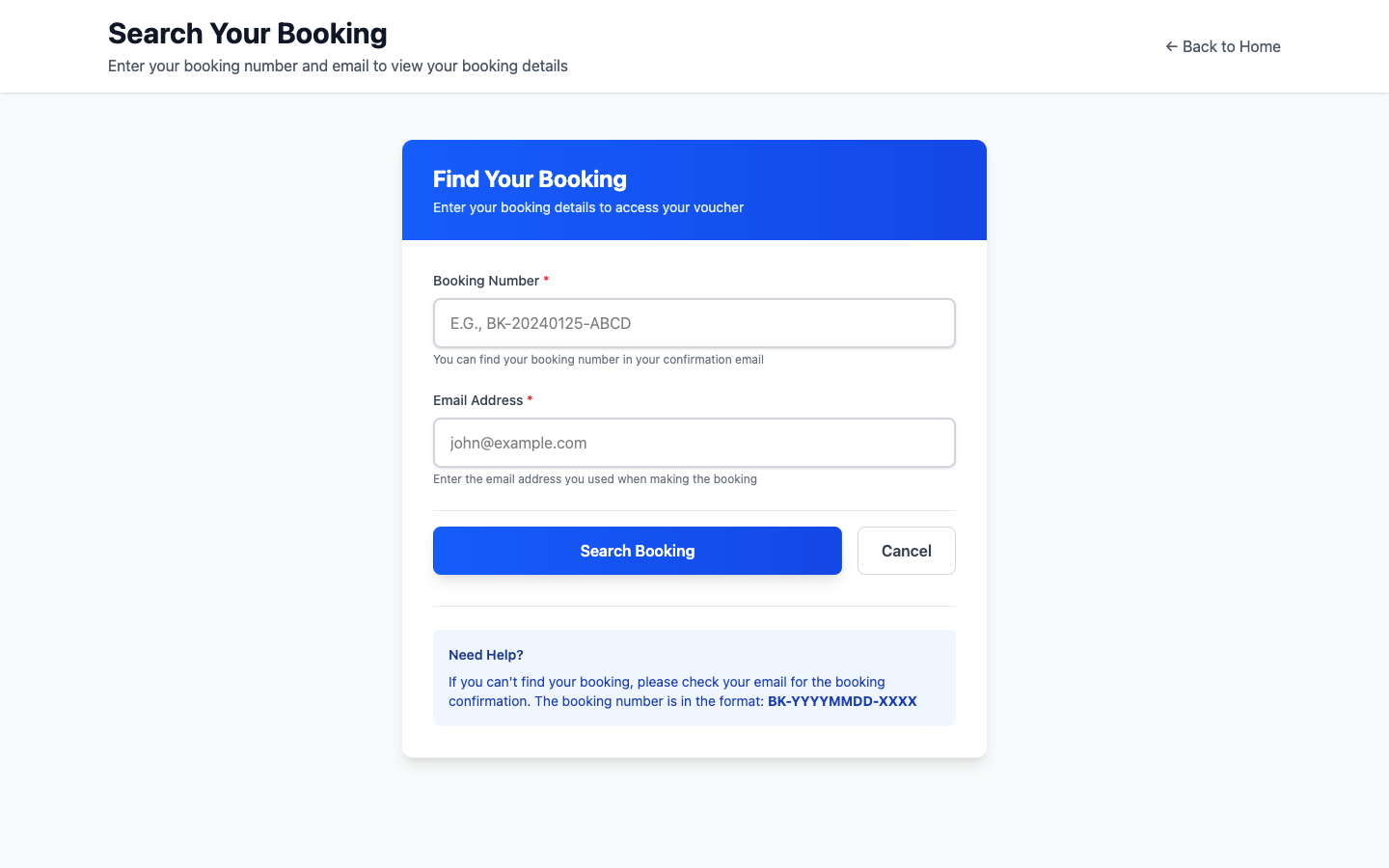
Step 5: Wait for owner confirmation
Track booking status and check your email for Confirmed or Declined updates.
What information do I need to provide for a booking?
You must provide:
- Your name and email address
- A reachable contact number
- Pickup and dropoff dates/times and locations
- Any special requests (optional)
What are the booking statuses?
Bookings go through these statuses:
- Pending: Waiting for owner approval
- Confirmed: Owner has approved your booking
- Rented: Vehicle has been picked up (automatically set 12 hours after pickup)
- Completed: Rental period is over
- Declined: Owner has declined the booking
- Cancelled: Booking has been cancelled
Can I cancel a booking?
You can cancel pending bookings anytime. For confirmed bookings, cancellation policies depend on the vehicle owner's terms. Contact the owner directly or use the cancellation request feature in your booking details.
How long does it take for an owner to confirm my booking?
Confirmation time varies by owner. You'll receive an email notification once the owner confirms or declines your booking. It's recommended to book well in advance to allow time for confirmation.
Driver's License Upload
Is uploading a driver's license required?
No, uploading a driver's license is completely optional. However, uploading a clear image of your driver's license increases your chances of booking approval as it demonstrates compliance with rental requirements and helps owners verify your identity.
What are the driver's license upload requirements?
Acceptable driver's license uploads must meet these criteria:
- Formats: JPG, PNG, or GIF
- Maximum file size: 5MB
- Must be a clear image of the front of your driver's license
- Image must be legible with all important information visible
Where will my driver's license be visible?
Your uploaded driver's license image will be displayed on your booking voucher for the vehicle owner to review. It will not be visible to other customers or shared publicly.
Is my driver's license secure?
Yes. Your driver's license image is securely stored and only shared with the vehicle owner for verification purposes. We do not sell, share, or use your information for any other purpose.
Can I delete my uploaded driver's license?
You can remove your driver's license upload before submitting the booking. Once the booking is submitted, you can request deletion by contacting our support team.
Account & Security
How do I create an account?
You can submit a booking request as a guest. Customer accounts are optional and useful if you want a dashboard to track your bookings later. Rental owner signup remains account-based.
Is my information secure?
Yes. We use industry-standard encryption and security practices to protect your personal information. We do not share your data with third parties except as necessary to process bookings (e.g., sharing customer info with the vehicle owner after booking confirmation).
Can I delete my account?
Yes. You can delete your account using the delete button on your customer dashboard. Please note that we may retain booking records for accounting and legal compliance purposes.
How do I reset my password?
Google users should recover access through their Google account. If you use email/password login and need help accessing your account, contact support for assistance while password recovery options are being improved.
Do I need to verify my phone number?
No. Customers can submit a booking request without phone verification, but they must provide a valid contact number so the owner can coordinate the rental. Rental owners may still use phone verification for account and notification security.